
Arjun signed up for a cricket highlights pack one evening — ₹99 for the first month, or so the ad said. He tapped through the payment screen, entered his UPI PIN, and forgot about it. Three months later he was scrolling through his bank statement and stopped cold. The same unfamiliar merchant name had taken ₹499 out of his account every month, on the same date, without asking him again. It was UPI AutoPay fraud — and Arjun had no idea it was happening.
That quiet monthly debit is the shape of UPI AutoPay fraud: one approval, given in a hurry, that keeps taking money long after you have forgotten you gave it.
The short answer: UPI AutoPay lets a merchant debit your account automatically once you approve a mandate with your UPI PIN. A fake mandate is one you were tricked into approving — a ₹1 trial that hides a ₹499 monthly charge, a cheap subscription that is really a recurring debit, a link that opens a mandate screen dressed up as a one-time payment. Check your mandates now, revoke anything you do not recognise, and if money has already gone, call 1930 and report it at cybercrime.gov.in the same day.
Cancelling stops the next debit. It does not refund the ones already taken — and in a UPI AutoPay fraud case, those earlier debits can add up to thousands before anyone notices.
Table of Contents
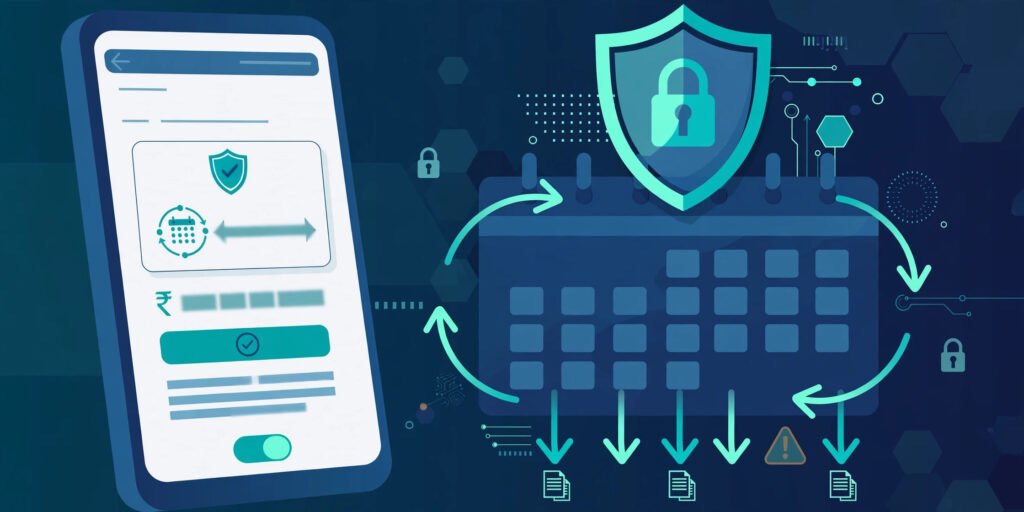
The 60-Second Mandate Check
Before you read another word, do this. Open the UPI app you use most — Google Pay, PhonePe, Paytm, BHIM, or your bank’s app. Find the section called AutoPay, Mandates, or Recurring Payments, under your profile or payment settings. Read every live mandate: merchant name, amount, frequency, next debit date. Anything you do not recognise, tap into and revoke — that is how you catch UPI AutoPay fraud before the next debit. Anything with an amount higher than you remember agreeing to, revoke it too. Then check your other UPI apps the same way — a mandate approved in PhonePe will not show up in Google Pay.
Do this once a month, the way you would glance at a bank statement. Most victims of UPI AutoPay fraud find the mandate weeks after the first debit. A monthly check cuts that window to days. It belongs alongside the other habits that protect your money — small checks, done regularly, that catch problems while they are still cheap.
What UPI AutoPay Actually Is — and Why One Approval Keeps Taking Money
UPI AutoPay is the recurring-payments feature of UPI, launched by the National Payments Corporation of India (NPCI) on 22 July 2020 as part of UPI 2.0. It lets you set up an e-mandate — a standing instruction — for payments that repeat: bills, streaming subscriptions, insurance premiums, loan EMIs, mutual fund SIPs. You approve the mandate once, with your UPI PIN, and the money is debited automatically on the dates you agreed. Every UPI app has a Mandates section for creating, approving, pausing, modifying, and revoking these instructions — the first place to look if you suspect UPI AutoPay fraud.
The part people miss is what “once” means. Under the Reserve Bank of India’s e-mandate framework, your UPI PIN is required when the mandate is registered and for the first transaction. After that, later debits run without fresh approval, as long as each debit stays within the agreed limit. That limit is now ₹15,000 per transaction — raised from ₹5,000 by the RBI in June 2022. A single case of UPI AutoPay fraud can therefore cost up to ₹15,000 a month, every month, until the mandate is revoked.
For insurance premiums, mutual fund subscriptions, and credit card bill payments, the ceiling is ₹1 lakh. A mandate you approved can pull up to ₹15,000 from your account every cycle without ever asking you again.
That is the design, not a flaw — it is what makes your electricity bill pay itself. The RBI’s framework does build in two safety nets: a pre-debit notification at least 24 hours before each debit, naming the merchant, the amount, the date, and the mandate reference — and you can opt out of that debit — and the right to withdraw a mandate at any point, after which no further debits are allowed under it. Both protections only help if you read the notifications and check your mandates. Scammers count on you doing neither — and that gap is exactly what UPI AutoPay fraud exploits.
How a Fake Mandate Gets Approved, Step by Step
In most cases of UPI AutoPay fraud, a fake mandate is rarely created by breaking into your phone. It is created by getting you to approve it yourself, while you believe you are doing something else:
- The lure. Something cheap, free, or urgent: a ₹99 streaming pack, a free trial, a cashback offer, a loan approval, a prize — arriving by SMS, WhatsApp, a social media ad, or a search result.
- The payment screen. You tap the link and land on a checkout page asking for your UPI ID or showing a QR code, exactly like a normal payment. What it does not spell out is that this is not a one-time payment. It is a mandate setup.
- The approval. Your UPI app opens with a mandate screen: merchant name, amount, frequency, validity period. People approve it the way they approve any payment popup — quickly, without reading the amount or the frequency. You enter your UPI PIN, and the mandate is born.
- The quiet debits. The first debit may be small, even ₹1, so nothing looks wrong. Then the real amount starts coming out each month, with only a pre-debit SMS you probably swipe away. By the time the total catches your eye, three or four debits have gone.
- The dead end. You try to cancel and cannot find the merchant’s app, or its support page does not answer. The mandate keeps running, because cancelling the merchant’s account and revoking the mandate are two different things. Only revoking the mandate in your UPI app stops the money.
Notice what the scammer never needed: your OTP, your card number, or your password. UPI AutoPay fraud needs only thirty seconds of your inattention.
Three Traps That Catch Even Careful People
The free trial that is not free. A site offers a free week of something and asks you to “verify” your payment method first. The verification is a mandate. The trial ends, the paid plan starts, and the debits roll on. Some are run by shady merchants who bury the renewal terms; others are legitimate businesses with cancellation flows designed to wear you down. Either way, this is UPI AutoPay fraud in its most common form: revoke the mandate, then cancel the subscription separately.
The cheap subscription. A streaming service or shopping deal at a price that makes no sense — a year of a premium OTT pack for ₹199, say. You pay, and the payment is really a mandate approval for a much larger monthly amount. The first debit is the giveaway: it will not match the price you thought you paid. If the first charge is higher than the advertised price, you are looking at UPI AutoPay fraud — revoke the mandate.
The phone call from “your bank.” A caller says your AutoPay needs verification or your UPI will be blocked unless you approve a request. They talk you through opening your UPI app and entering your PIN — sometimes while you share your screen. It is the same pressure playbook as fake helpline calls that steal wallet OTPs, only the prize here is a mandate instead of a code. No bank and no UPI app will ever call you and ask for your UPI PIN or OTP. The moment a caller asks for a PIN, hang up.
Real vs. Fake: Reading a Mandate Message Side by Side
Run down this table the next time a mandate screen appears. One row going wrong is enough to stop.
| What you see | A mandate you meant to set up | A mandate to stop and check |
|---|---|---|
| Where it came from | You opened the merchant’s own app or site and chose AutoPay | It arrived through a link in an SMS, WhatsApp message, or ad |
| The merchant name | A business you recognise and already use | A name you have never heard of, or a familiar brand spelled wrong |
| The amount | Matches the price you agreed | Higher than the advertised price |
| The frequency | Matches the plan — monthly for a monthly plan | Daily or weekly when you expected monthly |
| The first debit | The plan price, or a small test debit you were told about | A tiny ₹1 debit, then a much larger one |
| The pressure | None — you can walk away and set it up later | “Approve in 5 minutes or the offer ends” |
If a row fails, close the screen, find the merchant through its official site or app store listing yourself, and check whether the offer exists there at all. A mandate that fails even one row is a UPI AutoPay fraud attempt until proven otherwise.
Red Flags: The UPI AutoPay Fraud Checklist
- A mandate request arrives by link. Real mandates start when you choose AutoPay inside an app or on a merchant’s own checkout page — not from a link someone sent you.
- The amount is higher than the price you saw. A ₹99 offer that creates a ₹499 mandate is not a mistake. Decline it.
- The merchant name means nothing to you. If you cannot say what this company sells, do not give it recurring access to your account.
- Someone on a call is rushing you to enter your PIN. Banks never ask for your UPI PIN or OTP on a call. Hang up.
- You are asked to share your screen. Screen-sharing lets a stranger watch you type your PIN and read your OTPs. No refund or KYC check ever needs this.
- Small debits you cannot explain. A ₹1 or ₹10 debit from an unknown name is often the test charge before the real amount starts. Check your mandates the same day.
How to Audit Every Mandate You Already Have
Most people have at least one mandate they forgot — and a forgotten mandate is where UPI AutoPay fraud hides. Open each UPI app you have used — Google Pay, PhonePe, Paytm, BHIM, and your bank’s own app — and open its AutoPay or Mandates section. Write down every live mandate: merchant, amount, frequency, next debit date. A mandate approved in one app will not appear in another, so check all of them.
For each one, ask: did I agree to this amount, this often, with this merchant? If the answer is no — or “I don’t remember” — revoke it. You can always set up a real subscription again in two minutes.
Then check your last three bank statements for recurring debits with names you do not recognise. If you find a mandate you never approved, that is UPI AutoPay fraud in progress — save screenshots of the mandate details and every debit before you revoke it.
How to Cancel a UPI AutoPay Mandate
Cancelling a mandate stops future debits. It does not refund money already taken and it does not, by itself, cancel your subscription with the merchant — do both:
- Google Pay: tap your profile picture, go to Autopay, open the Live tab, select the mandate, tap Cancel Autopay, and confirm with your UPI PIN.
- PhonePe: open your profile, go to AutoPay or Mandates, select the mandate, and choose Remove or Cancel, then confirm with your UPI PIN.
- Paytm and BHIM: open Mandates or AutoPay, select the mandate, and choose Revoke or Cancel, then confirm with your UPI PIN.
- Your bank’s app: look under UPI services, recurring payments, or mandate management. If you cannot find it there, call the bank’s official customer care number — the one printed on your card — and ask them to revoke it.
- Cancel the subscription too: log in to the merchant’s own site or app and cancel the subscription there. If the merchant offers no cancellation option, write to its customer care and keep the email.
- Check it worked: wait for the confirmation SMS, then open the mandate list again and confirm it shows as cancelled or revoked. Do this at least two or three days before the next debit date.
One exception: loan-repayment and debt-collection mandates usually cannot be revoked from the UPI app — contact the merchant directly.
What to Do If Money Has Already Gone
Act in this order, the same day you spot the debit — speed is everything once UPI AutoPay fraud has taken money. The first hours matter most, because a freeze only works while the money is still sitting in the fraudster’s account. First, revoke the mandate so nothing more leaves. Then call the national cybercrime helpline 1930, which can trigger a freeze on the receiving account. Then tell your bank, in writing, the same day: call its fraud line, then email quoting the 1930 acknowledgement number, and ask for the unauthorised debits to be marked as a dispute.
If the payment crossed borders, our guide to reporting online fraud by country covers the right portal for each place.
Honest warning: getting the money back is hard. A mandate you approved with your own PIN looks, to the bank, like a payment you authorised — which is why UPI AutoPay fraud cases are so hard to get refunded. That is why the 1930 call matters: a freeze can stop the money moving on, and a written bank complaint starts the dispute process. Nothing here guarantees a refund. Here are the channels, in the order to use them:
- 1930 — the national cybercrime helpline. Toll-free; the operator registers the complaint and pushes it to the banks in the transaction chain.
- cybercrime.gov.in — the National Cyber Crime Reporting Portal, run by I4C under the Ministry of Home Affairs. File under financial fraud and upload your screenshots.
- Your bank — report every unauthorised debit in writing the same day and keep the reference number. If the bank does not resolve it within 30 days, escalate to the RBI Integrated Ombudsman.
- Your UPI app — use the in-app Help or Raise a Dispute option against the debit, and report the merchant or sender inside the app where the mandate came from.
- Sanchar Saathi — report the phone number or SMS that sent the fake mandate link through the Chakshu facility at sancharsaathi.gov.in, so the number can be flagged.
UPI AutoPay itself is not the enemy — it pays your bills while you sleep, and that convenience is real. The UPI AutoPay fraud works because the approval looks like any other payment, and because a monthly debit is easy to miss. Make the mandate check a habit, read the amount on every approval screen, and remember the one rule that kills most UPI scams outright: your PIN only ever sends money. If anyone asks you to enter it for any other reason, stop — then open your mandate list and check what is already running.
Sources
- Reserve Bank of India, Circular RBI/2022-23/73 (16 June 2022) — AFA-free limit for e-mandate recurring transactions raised from ₹5,000 to ₹15,000 —
- Reserve Bank of India, Circular RBI/2019-20/47 (21 August 2019) — e-mandate framework: AFA at registration and first transaction, 24-hour pre-debit notification, mandate withdrawal at any time —
- National Payments Corporation of India, UPI Consolidated Circular (18 September 2026), Section 14 — UPI AutoPay as a mandate for automated recurring debits — https://www.npci.org.in/uploads/UPI_Consolidated_Circular_f9c023a0ef.pdf
- NPCI press release (22 July 2020) — UPI AutoPay launched under UPI 2.0; mandates created through UPI ID, QR scan or intent — https://en.prnasia.com/releases/apac/npci-introduces-upi-autopay-facility-for-recurring-payment-286100.shtml
- Press Information Bureau, Ministry of Home Affairs (19 December 2023) — National Cyber Crime Reporting Portal (cybercrime.gov.in) and toll-free helpline 1930 —
- Paytm, “UPI Fraud: Spot Scams, Stay Safe and Report 2026” — AutoPay mandate scams dress a recurring payment up as a one-time charge — https://paytm.com/blog/payments/upi/upi-frauds/
Last reviewed: November 2026
This article is for education only and is not financial or legal advice.